Understand the camera feed.
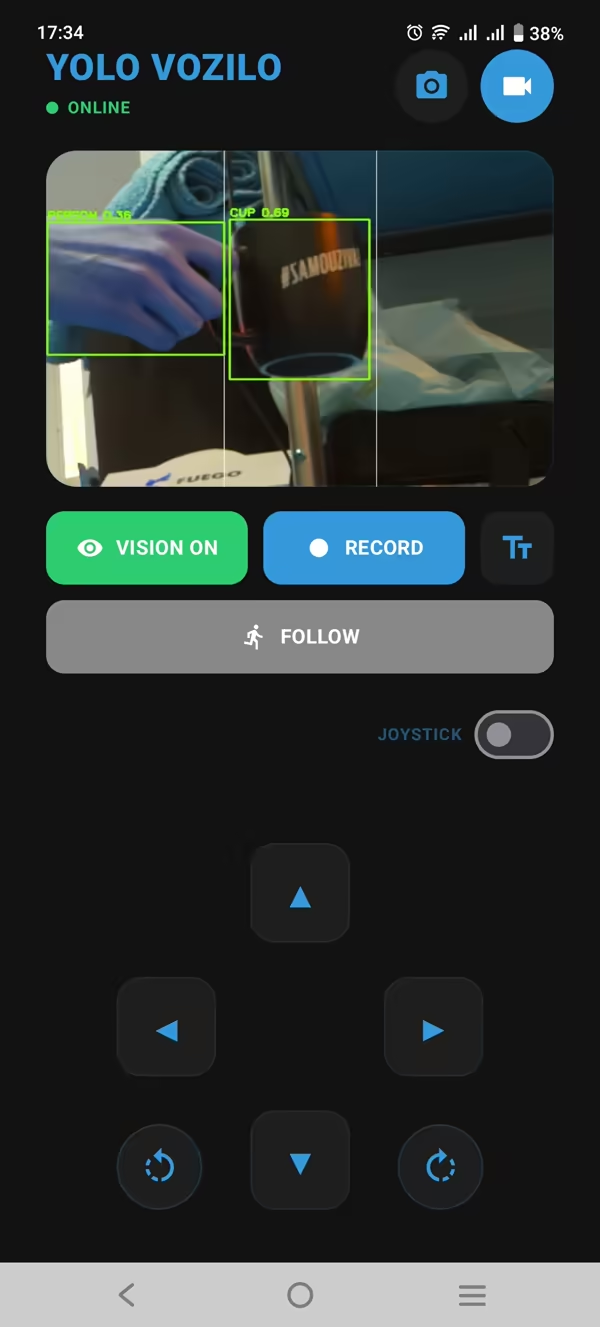
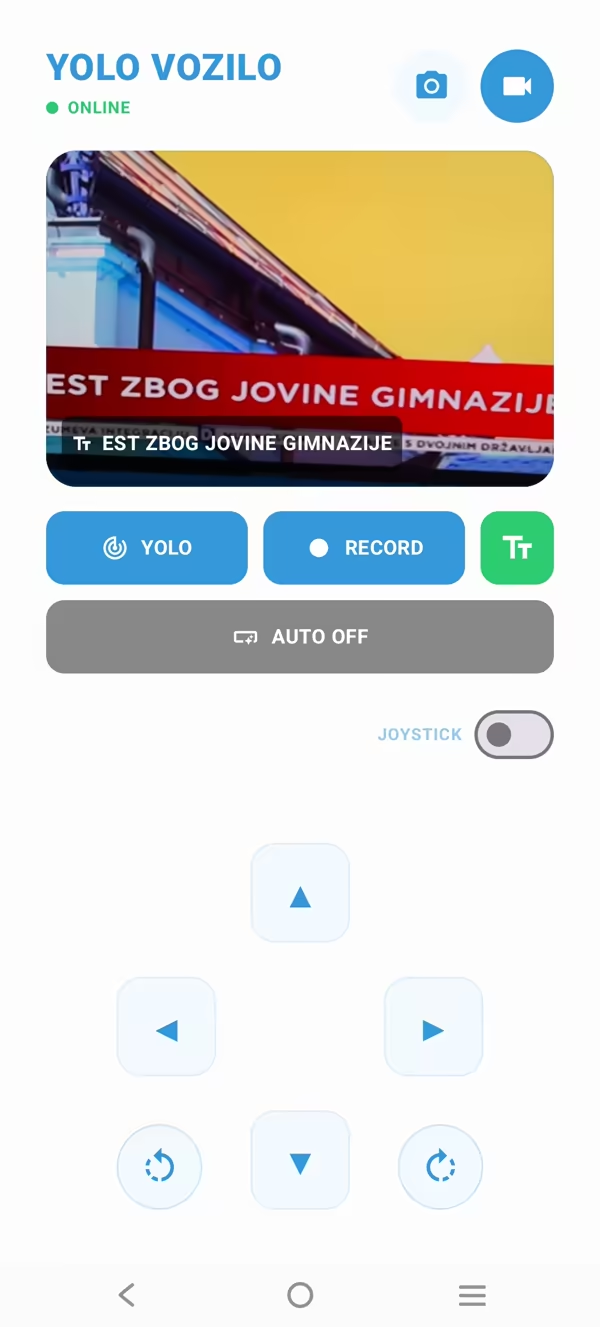
A Pi Camera supplies video to the Raspberry Pi. YOLO detects objects on the vehicle; the Android client handles text recognition with Google ML Kit.
SMART VEHICLE / OPEN-SOURCE ROBOTICS
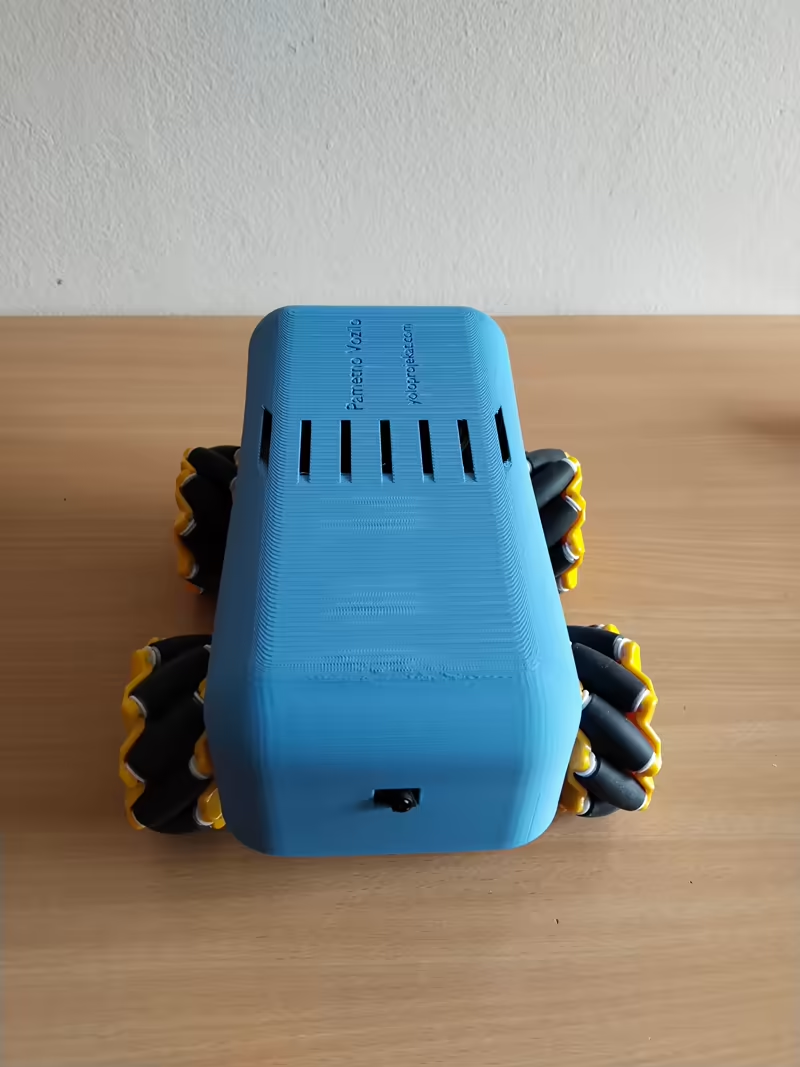
A Raspberry Pi vehicle with computer vision, an Android control station, and a lot going on under the chassis.
SmartVehicle brings YOLO detection, live video, and motor control together in one open-source engineering project. Built to explore what happens when software leaves the screen.
Raspberry Pi 5 · Python · Kotlin · Docker
01 / THE PROJECT
Not just an AI model on a board. The interesting work is getting vision, movement, networking, and a usable client to work together.
A Pi Camera supplies video to the Raspberry Pi. YOLO detects objects on the vehicle; the Android client handles text recognition with Google ML Kit.
The native Android app combines a live camera view, telemetry, and Mecanum drive controls. Four independently driven wheels let the platform move in multiple directions.
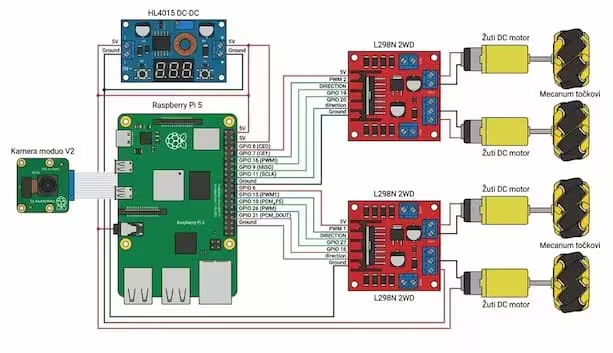
Separate services keep heavy vision work away from motor control. A network watchdog provides a fallback hotspot when Wi-Fi disappears.
02 / ENGINEERING NOTES
The first prototype coupled vision and motor control. When inference got busy, control waited. That constraint shaped the architecture.
Video capture · MIPI CSI-2
YOLO vision · Python services · Docker
Live view · Drive commands · Telemetry · OCR
Multithreaded pipelines and Docker services separate camera processing, inference, and control. The goal is to keep a busy model from holding up the rest of the system.
YOLO runs on the vehicle. Video travels to the Android client, where the operator can control the platform and use ML Kit to extract text.
Smart Network monitors connectivity and brings up a local hotspot when the external network drops. Recovery is part of the design.
03 / UNDER THE CHASSIS
04 / FROM THE BUILD
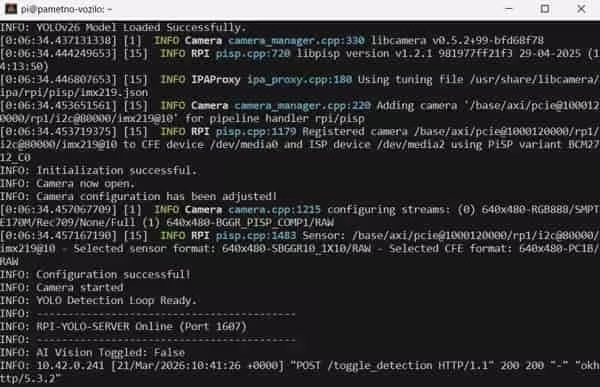
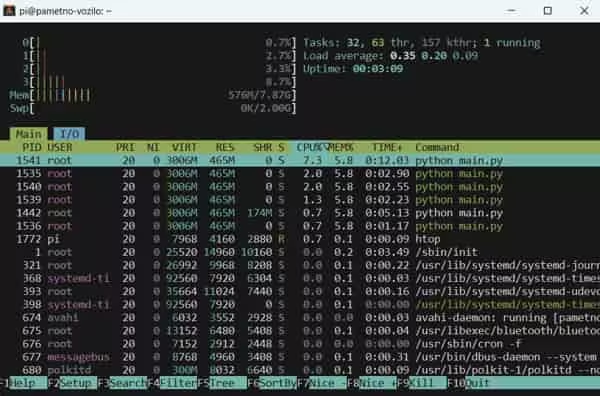
Actual interfaces and system captures from the project. Open any image for a closer look.
05 / OPEN THE SOURCE
Start with the server and Android client, then explore the supporting pieces. Setup instructions live alongside the implementation in each repository.
GPIO control, YOLO inference, and MJPEG video streaming on the Raspberry Pi.
rpi-serverDrive the vehicle, watch its camera feed, inspect telemetry, and read text with ML Kit OCR.
android-clientA network watchdog that creates a fallback Wi-Fi hotspot when the external network drops.
smart-networkExport and quantization workflows for deploying YOLO models on constrained hardware.
model-pipelineMore to explore: Web dashboard ↗ · Original server prototype ↗
This website’s source ↗06 / WHERE IT STARTED
Smart Vehicle — originally Pametno Vozilo — grew out of hands-on robotics work at ETŠ “Nikola Tesla” in Niš. It earned 4th place and a Special Award at the 10th Galaksija Cup.
The competition is part of its history. The open-source code and the engineering lessons are what carry it forward.
Created by Danilo Stoletović.
Mentor: Predrag Šubarević.
With thanks to former mentor Dejan Batanjac.

07 / WORK IN PROGRESS
Chassis assembly, manual Wi-Fi control, a camera feed, and early YOLO experiments.
Docker services, a Compose Android client, YOLO and OCR, and fallback networking.
LiDAR and SLAM, accessible programming tools, and clearer replication guides. These are planned directions, not shipped capabilities.
TAKE IT APART. UNDERSTAND IT. BUILD ON IT.
Explore the implementation, reproduce a part of the system, or bring an improvement back to the project. The repositories are the place to start.
A practical starting point for studying computer vision, embedded control, and connected systems.